Personal and Team workspaces
Choose the right workspace and understand membership, access, and sharing.
Your Personal workspace belongs to you. Each Team is separate, with its own members, content, and subscription state. Creating or joining a Team does not convert Personal into Team or move your existing work.
These workspace-management flows are available in local development; real-provider deployment acceptance remains a release gate.
Switch workspaces
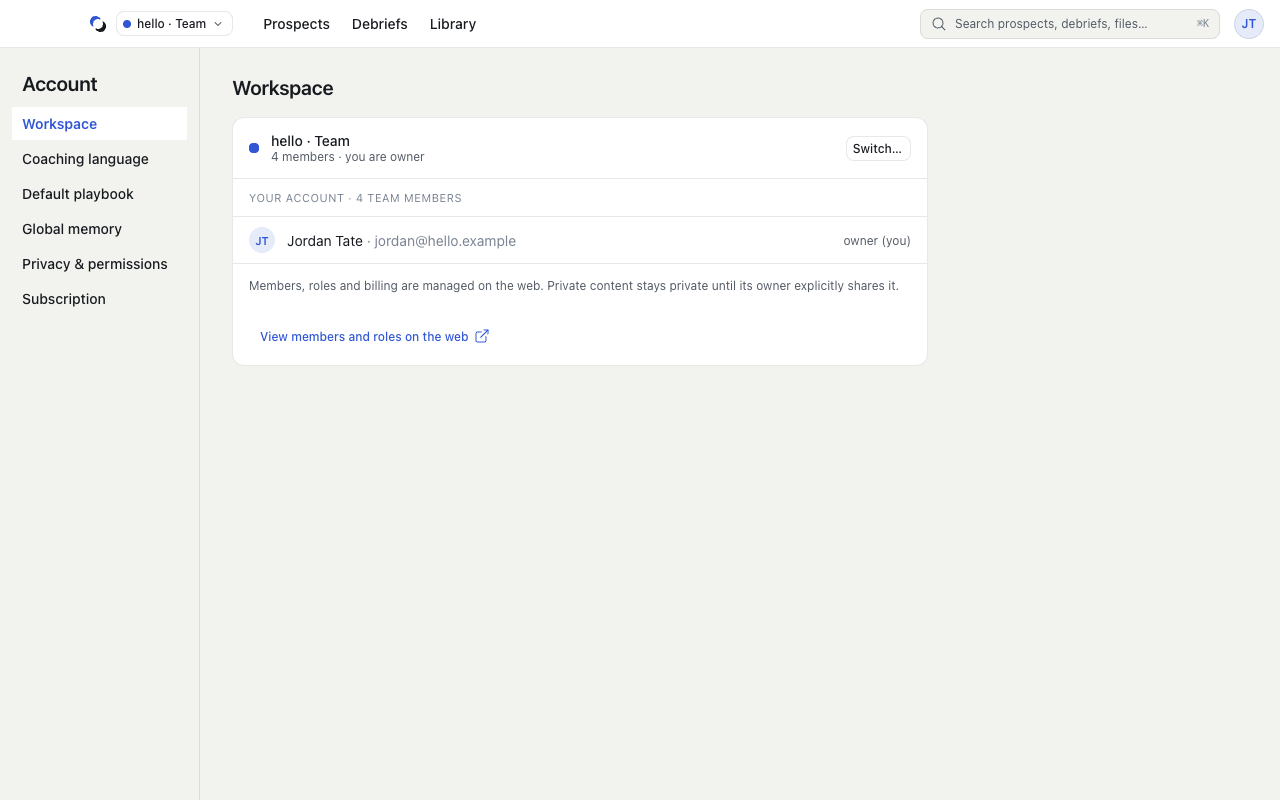
- Open the workspace selector beside the logo, or open your avatar, choose Account settings, then Workspace → Switch…. Teams show a solid letter tile and Personal an outlined one.
- Select the destination and review Current and Selected in Switch workspace.
- Choose Continue in browser and complete account confirmation.
- Return to the desktop and wait for verification. The current workspace remains in place until switching succeeds.
Save edits first. After a successful switch, unsaved edits are discarded. Nothing is copied between workspaces. End an active Session before switching.
Manage a Team on the web
The selector offers Create a team and, for a Team, Manage it on the web. Account also offers View members and roles on the web.
Web workspace settings contain Members and Invitations. Authorized owners and admins can invite supported roles, subject to active Team access and capacity. The Team subscription covers admitted members; an inactive Team keeps management and offboarding access while business access is unavailable.
Understand access
Materials and Playbooks begin private and require an explicit share action. Profiles remain private. Team membership alone does not make all your content shared.
Personal Sessions stay Private. New Team Sessions default to Shared with you and that Team's owner/admin. Review Who can review beside Start, or change Access later from your Debrief. Select Private for an author-only Session. Other ordinary Team members cannot review your Sessions.
Web workspace settings offer Open Team reviews for completed Shared Sessions. Owners and admins can review the conversation and safe scores, then write feedback and a next action. Members see only their own Shared Sessions and feedback. Your full personal Debrief, preparation, live guidance, and coaching memory remain private. See Review a Debrief for the author's feedback view.
Leaving a Team removes your access but keeps Team content there. Personal remains separate. The last owner must transfer ownership or delete the Team before leaving.
Reviewed October 28, 2026