Review a Debrief
Review what happened, choose next actions, and prepare for your next call.
Use the Debrief to prepare for your next call. It connects the conversation's outcome, supporting evidence, and next actions so you can see what worked and choose what to practice. Every Debrief belongs to its Session: live calls and rehearsals both appear under Calls → All sessions.
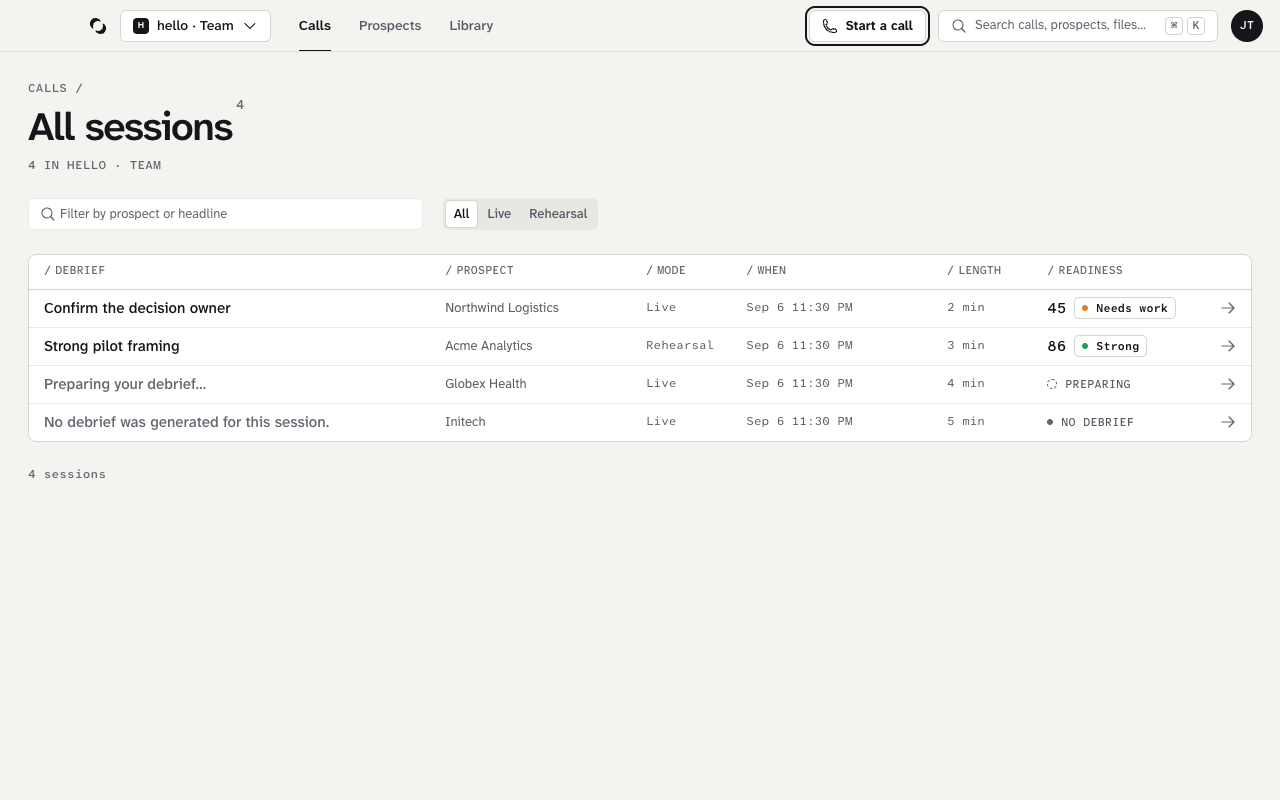
Find the right Session
The ended cockpit's Open debrief goes straight to the Session you just finished. Otherwise, Recent sessions on Calls lists the latest ones, and All sessions lists every Session: filter by prospect or headline, or by Live and Rehearsal. Each row shows the 0–100 readiness score beside its band. You can also open the Sessions tab inside a Prospect to review only that pursuit's conversations. Page controls appear when the list spans more than one page.
Select a Session to open its Debrief. The breadcrumb leads back to where you opened it. Check the company, mode, time, and duration so you know which conversation you are reviewing.
Read the three sections
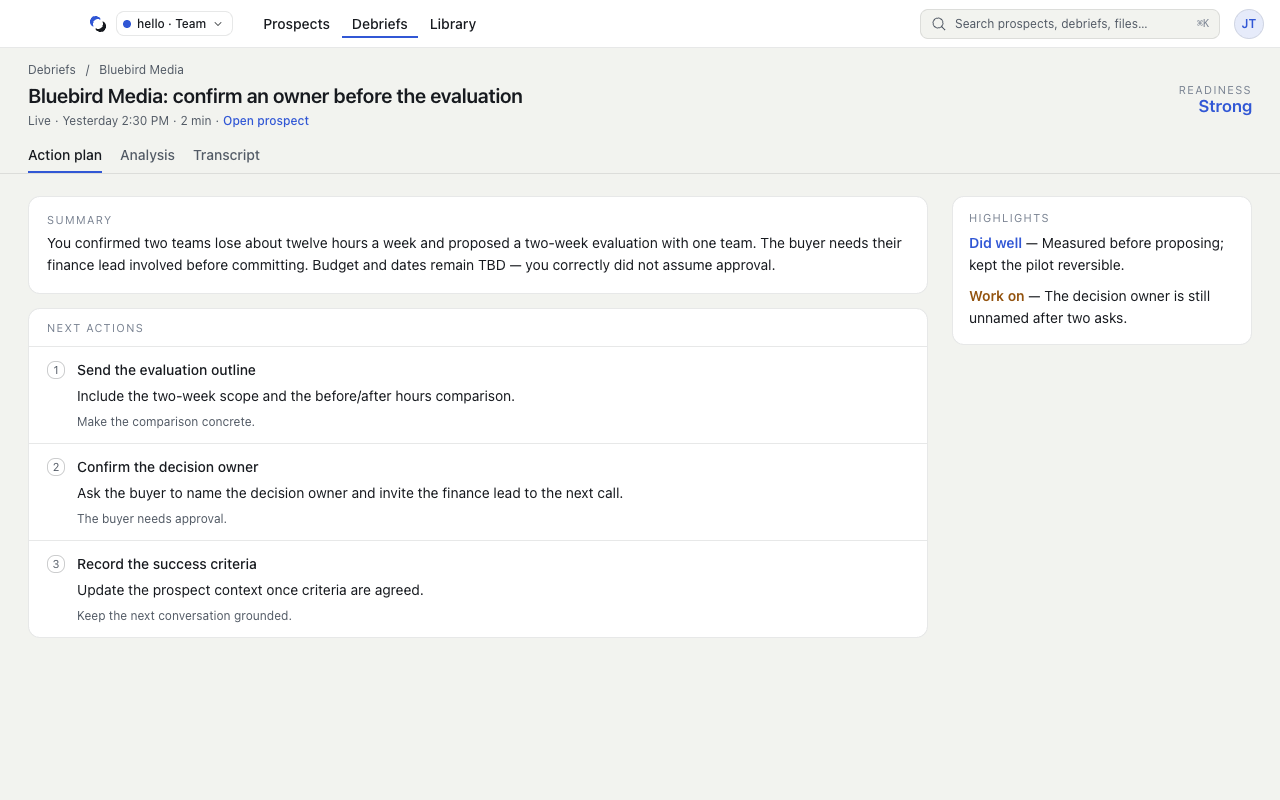
- Action plan contains the summary, recommended next actions, and highlights. If the Session saved an Account Action Plan, it appears under its full name here. The saved plan and the debrief's recommendations are separate pieces of information.
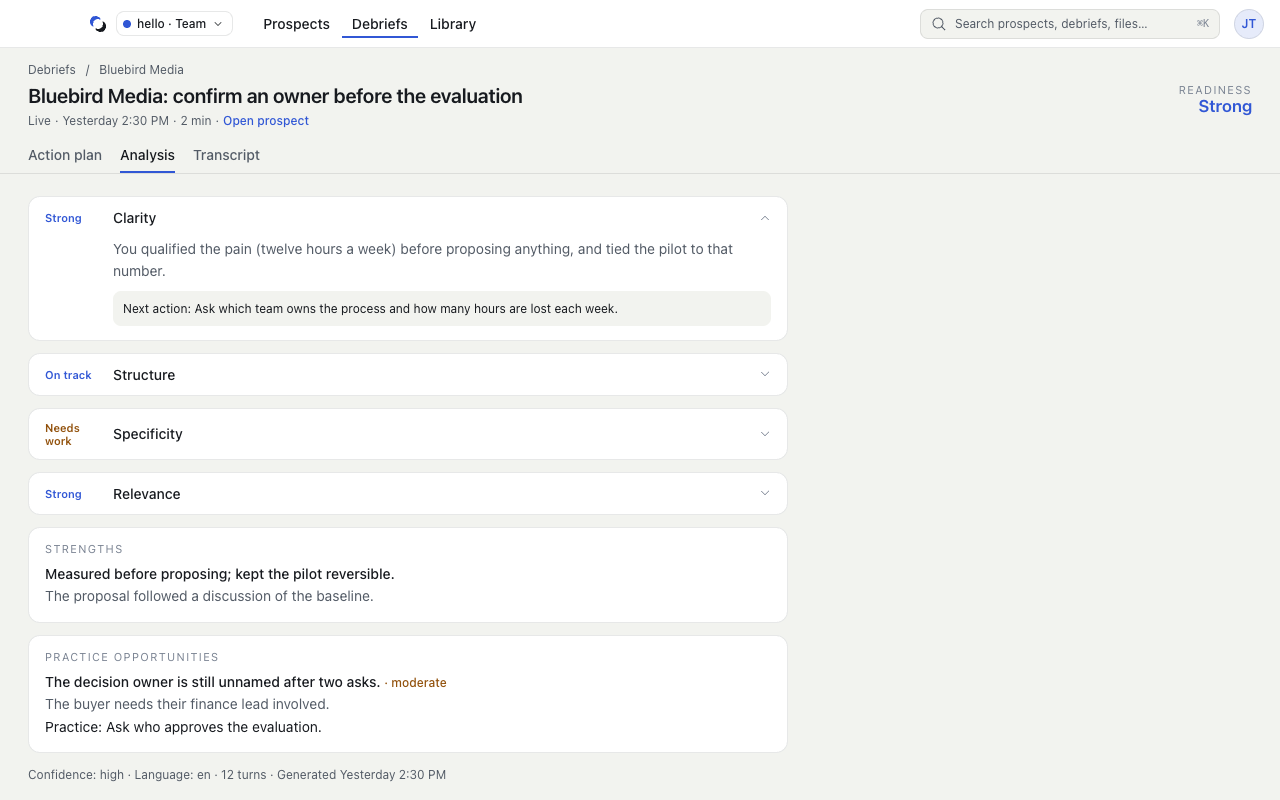
- Analysis explains strengths and practice opportunities, including supporting evidence. Use the next action to decide what to try differently.
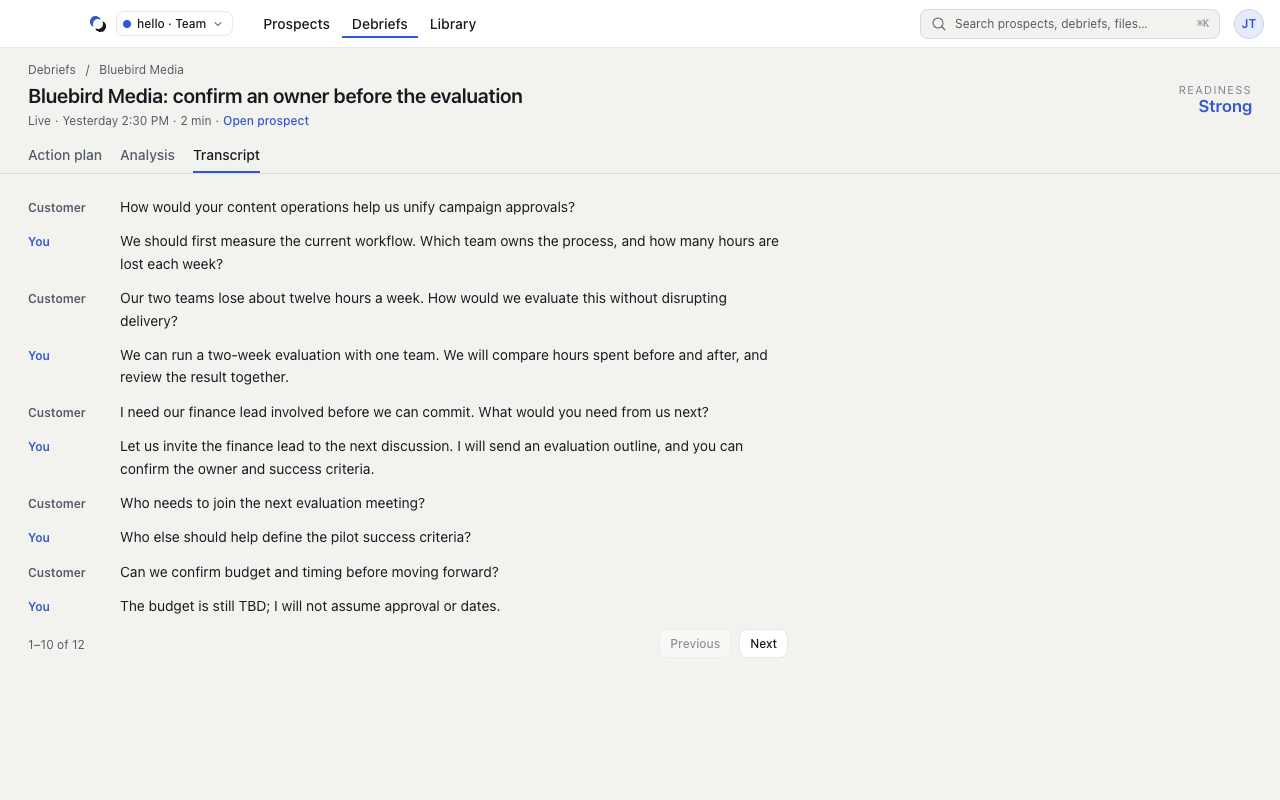
- Transcript lets you inspect the conversation text. It loads when you open the tab and uses pages for longer conversations.
Use Open prospect to update the pursuit's context or inspect its coaching memory, or Rehearse this to practice it next.
Sharing and Team feedback
In a Team, Access in the Debrief's side panel lets you change your Session between Private · only you and Shared with the Team's owner/admin. Shared review is limited to you and the current owner/admin of that Team. They can review the completed conversation and its safe scores, but your full personal Debrief, live guidance, preparation, and memory stay private.
Your completed Shared Session has a Team feedback section for reviewers' feedback, next actions, and any quoted conversation evidence. Owners and admins write feedback through Open Team reviews in the web workspace settings. The desktop shows feedback on your own Sessions; reviewing colleagues happens on the web.
Changing a Session to Private removes it from Team review and hides its Team feedback. This does not delete stored feedback; sharing the Session again restores access. These controls are implemented in the development product; production coaching acceptance remains pending.
When the result is not ready
Preparing your debrief… means processing is still underway; it usually takes about a minute and the page updates on its own. No debrief for this session can be an honest result when the Session has no usable content. A retrieval error is different: use Try again to reload it.
If you started the call without choosing a Prospect, its Debrief asks Who was this with?. Create prospect names the call's temporary Prospect; Attach to existing moves the Session into a Prospect you already have once the Debrief is ready.
Inspect the supporting detail
Use the Analysis and Transcript tabs to compare a coaching claim with the conversation it describes.
Reviewed October 28, 2026