Use the live cockpit
Read on-screen answers during your call, reach earlier answers, and use the shortcuts.
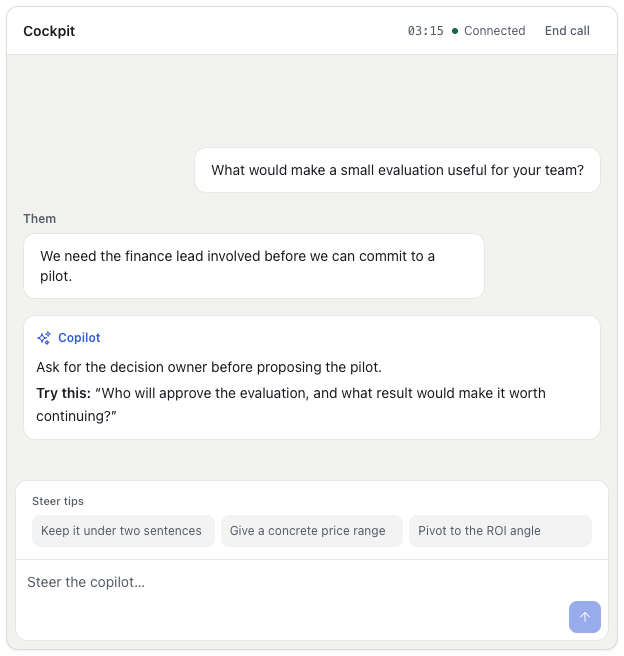
The live cockpit is a small window beside your meeting. It shows one answer at a time, built from your Prospect context, materials, and Playbook. A live Session captures your microphone and the other side's call audio; review capture and data controls before starting.
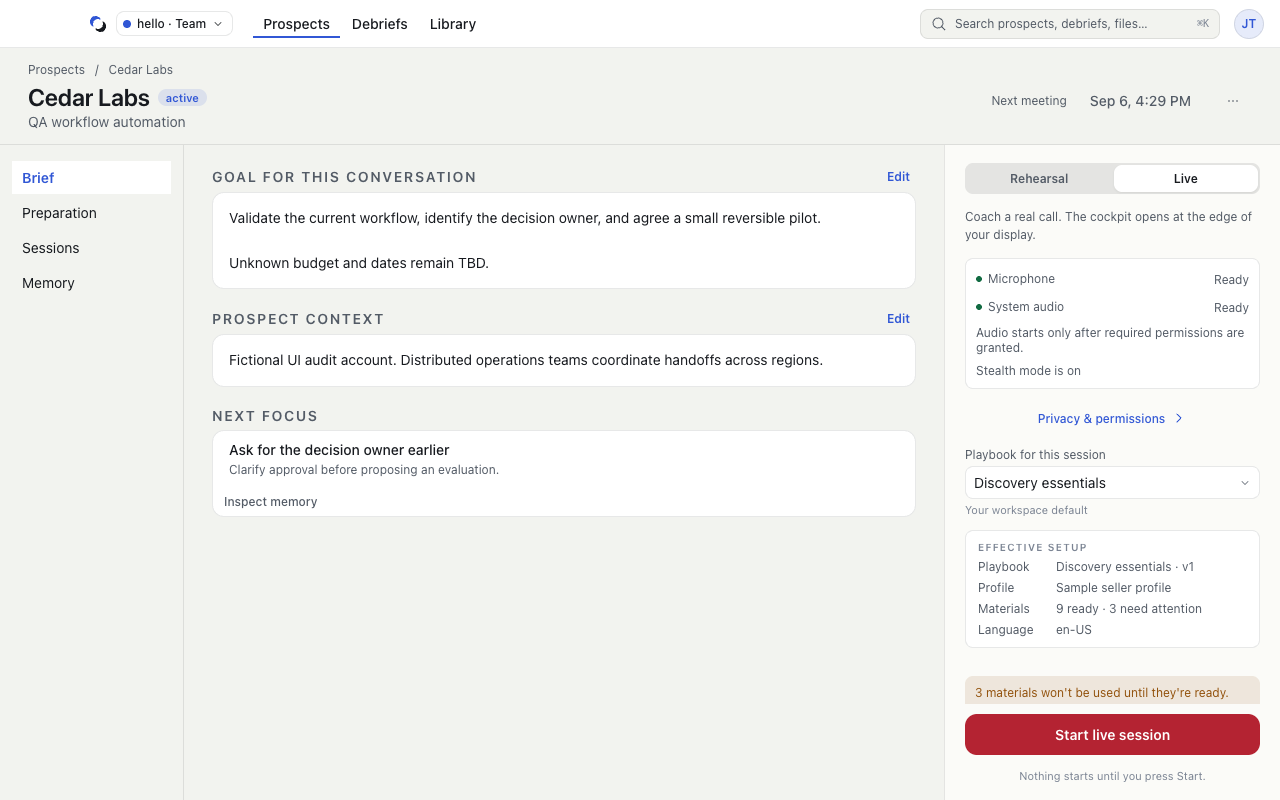
Start the call
- Choose Start a call in the top bar, Start beside a meeting on Calls, or open a Prospect and use its launch rail.
- Keep Live call selected and confirm Who’s it with?. You can leave it empty and name the call later.
- Check the Ready rows: Microphone and Call audio allowed, Hidden from screen share, the Playbook, and in a Team Who can review. Use Change playbook for a one-call override, or Make private for an author-only Team Session.
- Choose Start live call. The cockpit opens as the call connects.
When a meeting app call is detected, the call indicator offers Review. It opens Start a call with the nearest meeting's Prospect selected; nothing starts until you confirm and press Start yourself.
Read the focus card
Each answer fills one card:
- They asked quotes the question the answer responds to.
- Say is the line to say, highlighted in yellow.
- Up to two points support it, and Ask suggests a question to ask back. A Playbook can change this format.
When a new answer arrives, the previous one folds into a one-line bar above it. Open that bar to step through earlier answers; the next answer brings you back to the newest. While the other person is still finishing a thought, the cockpit shows Listening for the rest….
There is no text box and no running transcript in the cockpit. You read the transcript later in the Debrief.
Ask for an answer or hold one back
With Automatic — answer when helpful selected in your Playbook, the copilot answers when a question needs help and stays quiet through small talk. If it holds a question back, Answer anyway answers that one without changing later behavior. With On request — only when I ask, use the shortcut for answering the latest question. While an answer is being written, Stop cancels it without ending the call.
Use the shortcuts
The cockpit's shortcuts work while your meeting app has focus. They use Control and Option together (Ctrl and Alt on Windows) and cover answering the latest question, earlier and later answers, stopping an answer, the Account Action Plan, and hiding or showing the cockpit. A shortcut sheet with the keys for your computer appears once, on your first call; the cockpit also shows the keys beside the controls they trigger.
Header and Account Action Plan
The header shows Live and the elapsed time, the Prospect, and whether the window is hidden from screen share. When the window is visible in screen share, that control hides it with one click. If the call or your microphone cannot be heard, the cockpit says so and offers Open System Settings.
When the copilot writes an Account Action Plan, the Plan button in the header shows a dot. The plan never opens by itself; open it when you have a moment, and return to the answers from it.
Finish explicitly
Choose End in the cockpit or on the call indicator when the conversation ends. Hiding the cockpit only hides its window; the call continues, and Open on the call indicator brings it back. After the call, the cockpit shows what was kept and offers Open debrief. See Review a Debrief.
Reviewed October 28, 2026