Prepare a Prospect
Give live answers context with a Prospect brief, materials, and a Playbook.
Give the copilot context for its live answers before the call. Set the conversation goal, describe what you are offering, and select the materials and Playbook it should use. Preparation is optional: you can start a call first and add context later.
Create or reopen the pursuit
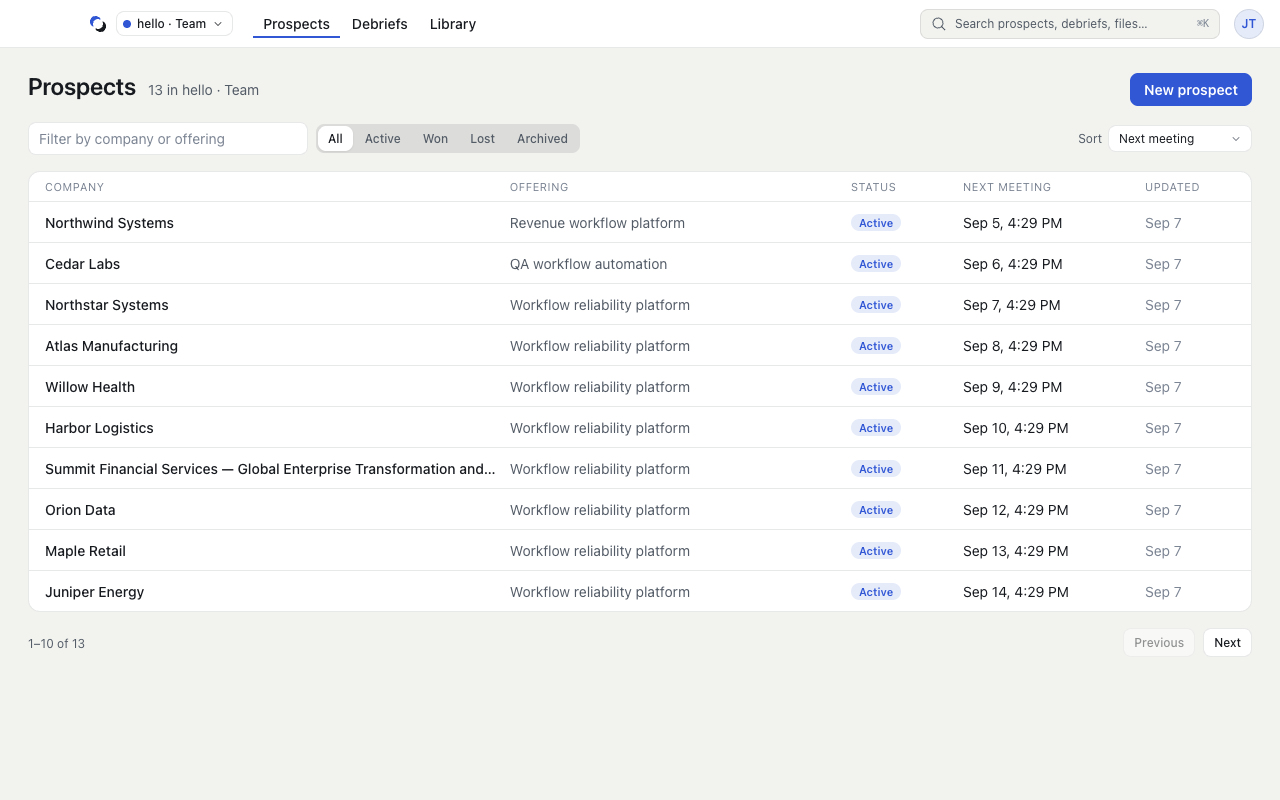
In Prospects, search for the company before creating another entry; Prospects are grouped by their next meeting. Open an existing row, or choose New prospect. This walkthrough uses the Selling scenario: complete Prospect company and What you offer, add an Opportunity brief, then choose Create prospect. New Prospects start with your account's default scenario, and field labels follow it; see Prospects and Sessions.
In the Brief tab, edit Opportunity brief and Account context. Keep unconfirmed details explicit. For example: “Confirm who approves the pilot; budget and timing are unknown.” Use the meeting control in the header to record the next meeting; it then appears under Up next on Calls.
Select preparation resources
- Open the Preparation tab.
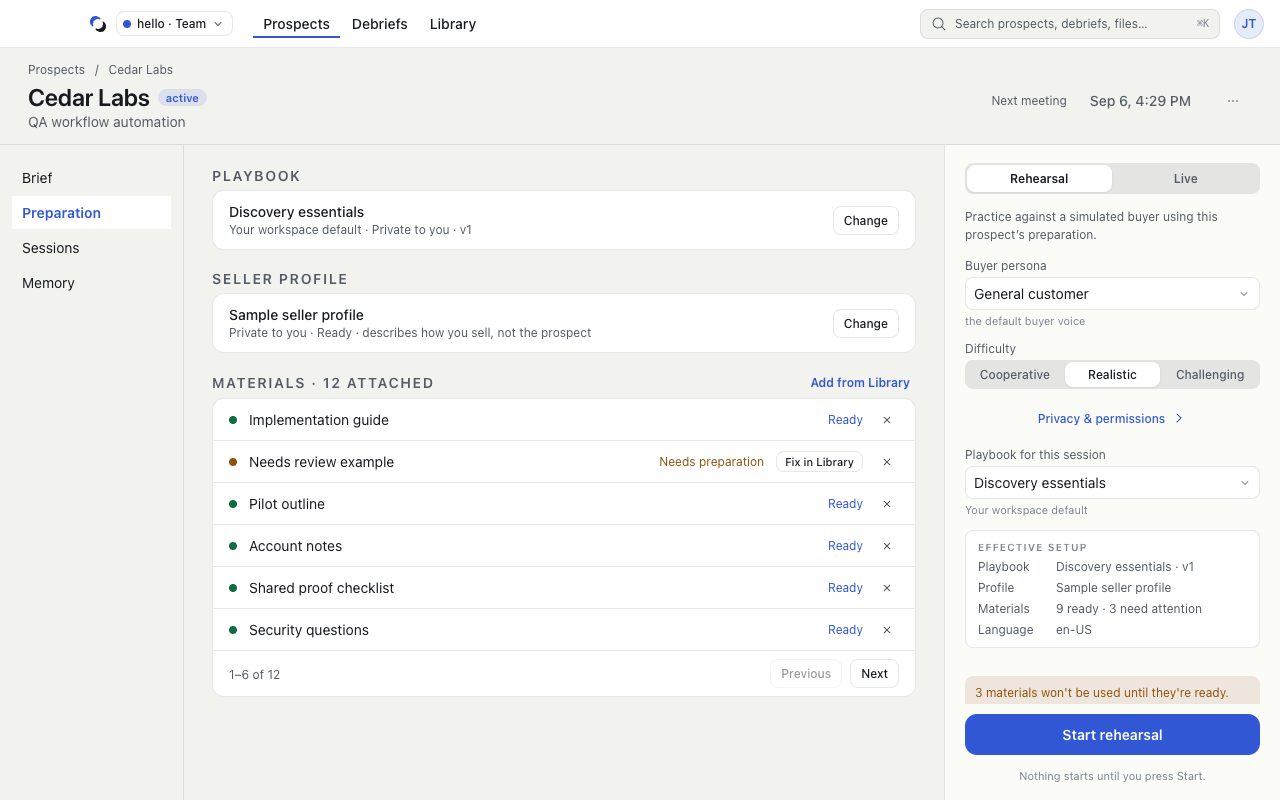
- Under How the copilot answers, choose Change beside Playbook and select the instructions for this pursuit. The line under it explains whether the choice comes from your workspace default or is set for this Prospect.
- Choose Change beside Your profile to select a private profile. Inspect its facts if needed.
- Under Materials, choose Add from Library, select ready materials, and choose Attach with the selected count. Upload missing resources in Library first.
- Remove an irrelevant attachment with its Detach control. Detaching does not archive the Library file.
Check before starting
The launch rail beside every tab lists what the call will use under Ready: microphone and call audio, screen-share protection, materials, the Playbook, and in a Team who can review. Materials that need attention will not be used until ready, and the rail says so. Open the Memory tab to inspect the next focus, then choose Live call or Rehearse.
Reviewed October 28, 2026