Practice with a text counterpart
Practice difficult questions before your call with a text AI counterpart and your Prospect context.
Practice difficult questions before the live call. Rehearsal uses the same pursuit context: the Prospect, selected Playbook, your profile, relevant materials, and coaching memory. This walkthrough follows the Selling scenario; integrated acceptance across all three scenarios remains pending.
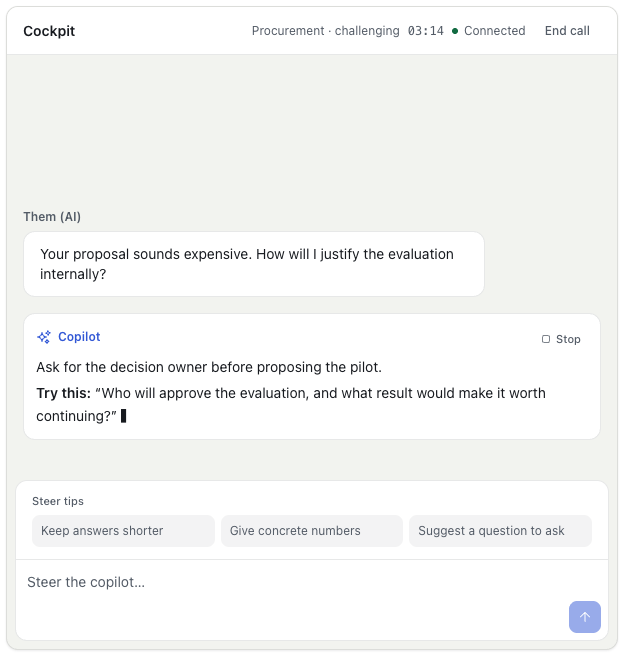
The current desktop supports a text counterpart. You speak through your microphone; the simulated customer's lines appear in the cockpit under They said. Avatar and spoken-counterpart features are outside this release.
Set up the practice
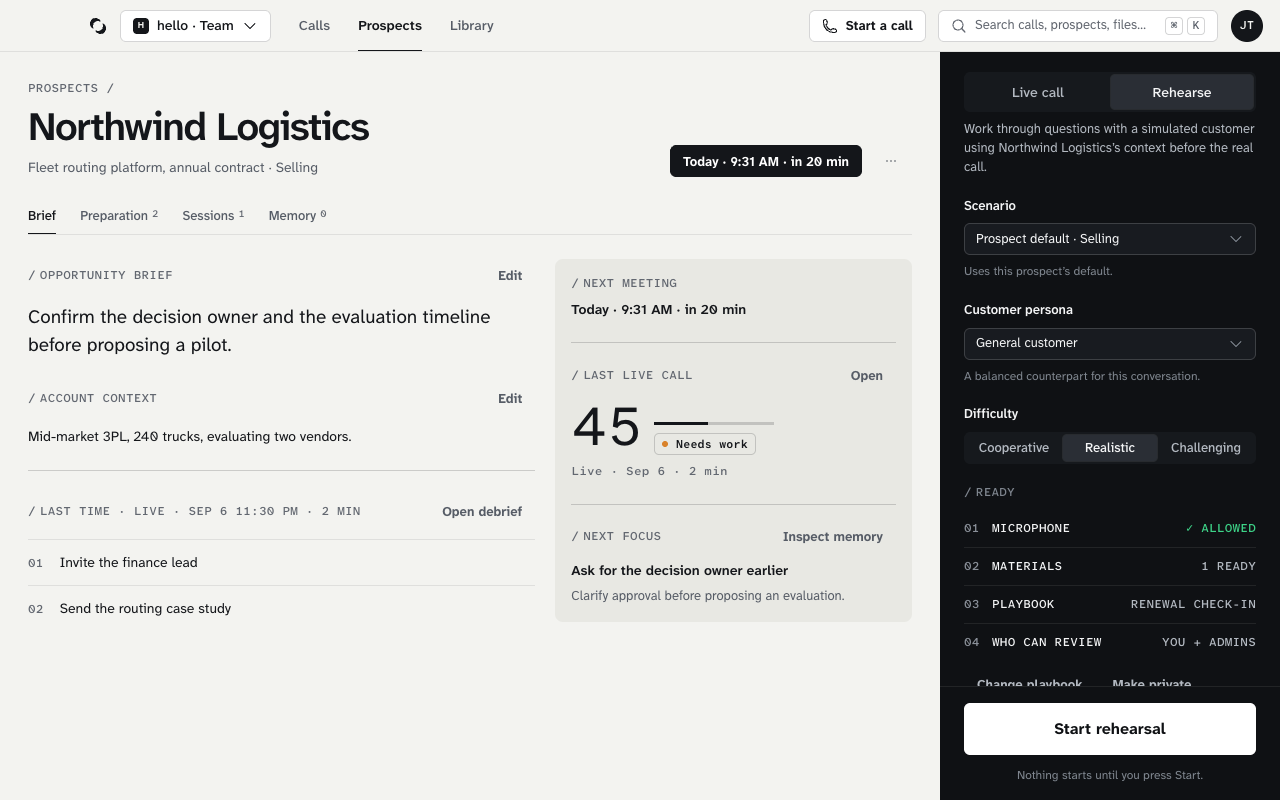
- Open the Prospect you want to practice, or choose Start a call in the top bar.
- Review the Brief, Preparation, and any Next focus in the Memory tab.
- Choose Rehearse in the launch rail.
- Select a Customer persona from the available catalog.
- Choose Cooperative, Realistic, or Challenging under Difficulty.
- Check the Ready rows, then choose Start rehearsal. New Team Sessions are shared with you and that Team's owner/admin; choose Make private for author-only access.
Microphone access is required, and rehearsal needs a plan just like a live call. Open Privacy & permissions before starting if the microphone has not been allowed.
Practice one improvement
Read the counterpart's line, then answer aloud. Keep the practice centered on a concrete outcome, such as identifying the decision owner before proposing an evaluation. There is no text box; you answer by speaking.
Review and repeat
Choose End, then open the resulting Debrief with Open debrief. Review its evidence and practice opportunities. Return to the Memory tab on the same Prospect before another attempt. Rehearse the next focus → selects rehearsal in the launch rail; you still choose when to start.
Reviewed October 28, 2026