Materials, profiles, and Playbooks
Separate the information the copilot can use from instructions for how it should help.
Materials, profiles, and Playbooks give live assistance its source information and direction. Manage them in Library, then choose the relevant resources on a Prospect. The same resources also support rehearsal.
Materials provide information
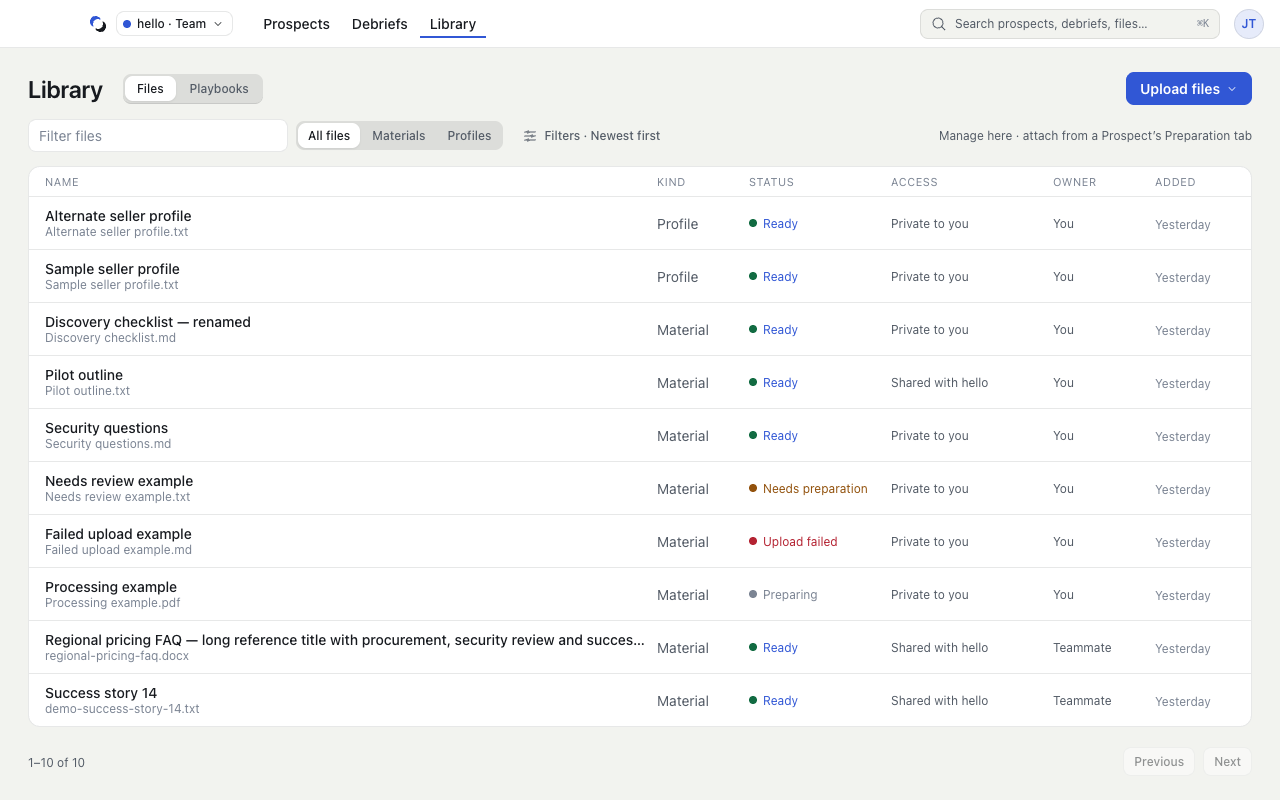
Materials are collateral such as product documentation, discovery checklists, or proof points. Upload them through Library → Files → Upload files → Material. A material must finish preparation before it can be used. Its presence in Library does not attach it to every Prospect.
In the Prospect's Preparation tab, choose Add from Library, select the material, and choose Attach 1. The button shows the selected count when attaching more files. The launch rail shows how many attached materials are ready and names any that need attention.
A profile describes you
A profile supplies information about you and your experience. Upload it as Profile, then choose it beside Your profile in the Preparation tab. Open its facts to inspect the extracted content. Profiles remain private.
A Playbook directs assistance
A Playbook defines how the copilot should help: response style, methodology, or custom instructions. It is not another collateral file. Manage it through Library → Playbooks.
The Preparation tab explains where the chosen Playbook comes from. A one-call override from Change playbook in the launch rail takes priority for that Session. Otherwise the Prospect setting applies, with the account default used when inherited. Check the Playbook row under Ready instead of assuming the same choice applies everywhere.
New materials and Playbooks start private. In an eligible Team, the owner can explicitly share them. Sharing a resource does not move it between Personal and Team workspaces. See Manage Library files and Create a Playbook.
Reviewed October 28, 2026